
 DeltaSnap
  DriveSync
  Noject
  DeltaSync
 DeltaSnap's Finder extension has two workflows on writable, supported APFS Data volumes: restore previous versions and create safety snapshots. It can also decorate eligible items with optional history badges. Backup-role volumes remain display-only and do not receive Finder actions.
Where actions appear
Secondary APFS volumes are observed from their mount point, so files at the volume root and every descendant are covered. On the startup Data volume, DeltaSnap deliberately observes only /Users: home folders are where version history matters, and observing the whole startup disk would generate badge traffic for system paths that are excluded from indexing anyway.
Enable the extension
The extension is bundled with DeltaSnap. If Finder does not show its menu, open System Settings → General → Login Items & Extensions → Added Extensions, find DeltaSnap under Finder, and enable it. Relaunch Finder if macOS does not refresh menus immediately.
Context menu actions
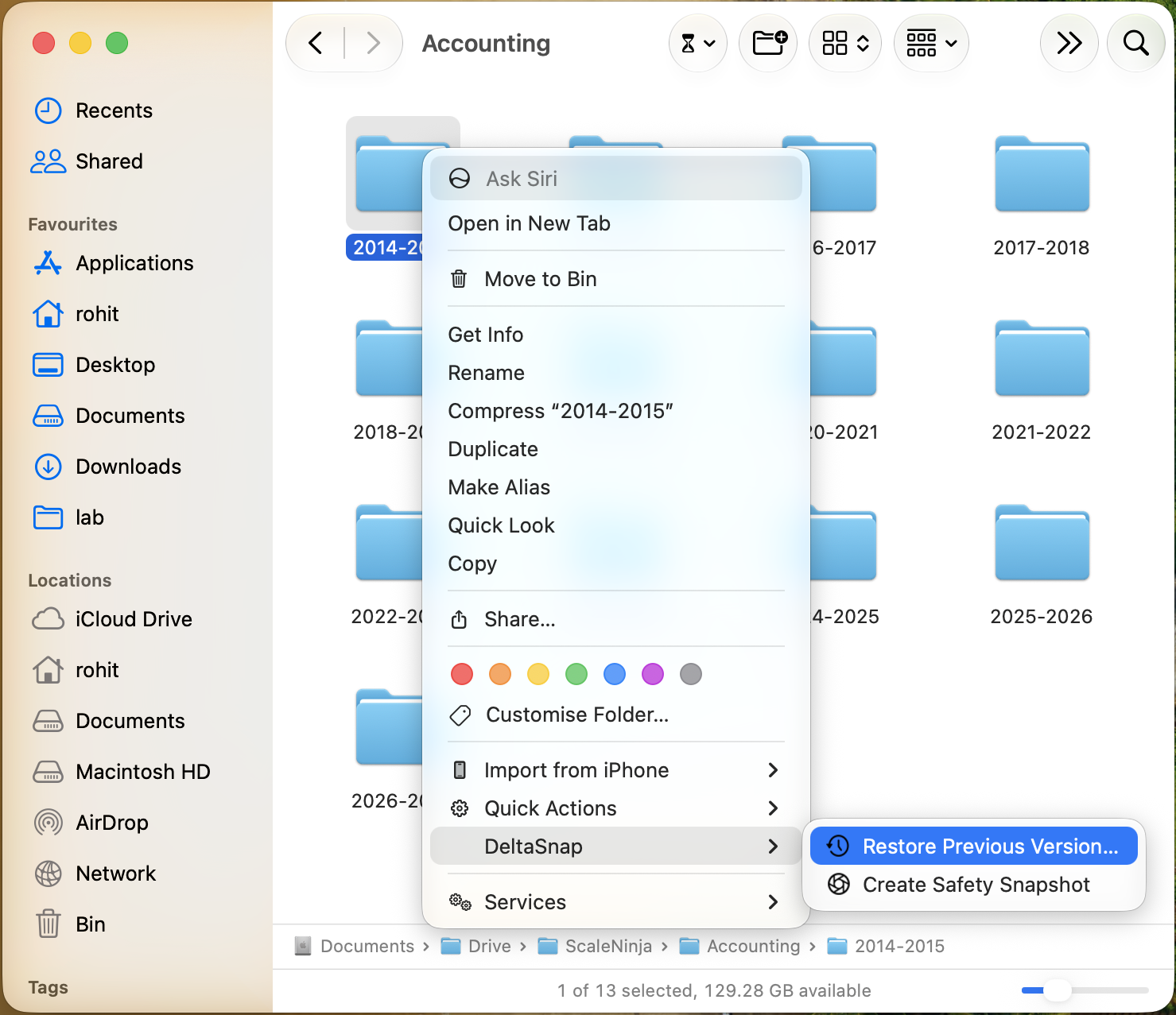
Right-click an eligible file or folder and open the DeltaSnap submenu:
- Restore Previous Version… opens the selected item's Version Control timeline ready for preview or restore.
- Create Safety Snapshot creates one expiring checkpoint per containing volume, including when a selection spans volumes.
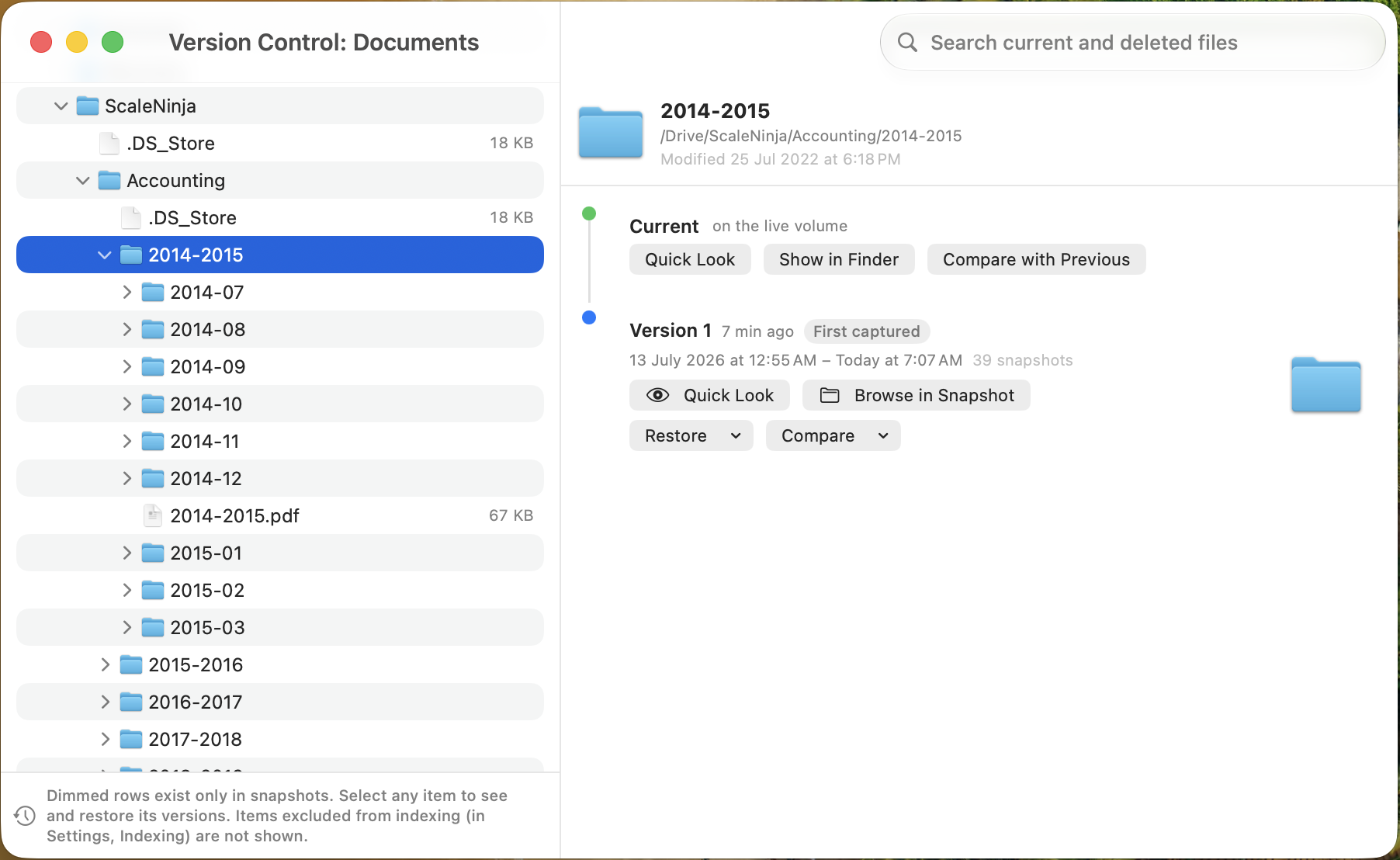
Restore Previous Version… opens a standalone Version Control window focused on the item you clicked, with the same preview, compare, and restore actions as the main app.
The Finder toolbar item provides Browse Version History… and Create Safety Snapshot for the targeted location.
Snapshot actions launched from Finder are authenticated end to end. If the same deltasnap:// link is opened by anything other than the Finder extension (a script, browser, or automation tool), DeltaSnap brings itself forward and asks for explicit confirmation before creating anything, and repeated unauthenticated requests are rate-limited.
History badges
When enabled, badges distinguish items with captured history from items changed since the newest indexed snapshot. Badges appear only after a volume has at least one indexed DeltaSnap snapshot.
Turn badges off under DeltaSnap → Settings → General → Finder Extension. Finder caches decorations, so clearing them can take up to a minute or require a Finder relaunch.
Troubleshoot Finder integration
Confirm the helper is running, the extension is enabled, and the item belongs to a writable non-Backup APFS volume. Settings can export Finder diagnostics for support without requiring you to collect extension-container logs manually.