
 DeltaSnap
  Noject
  DeltaSync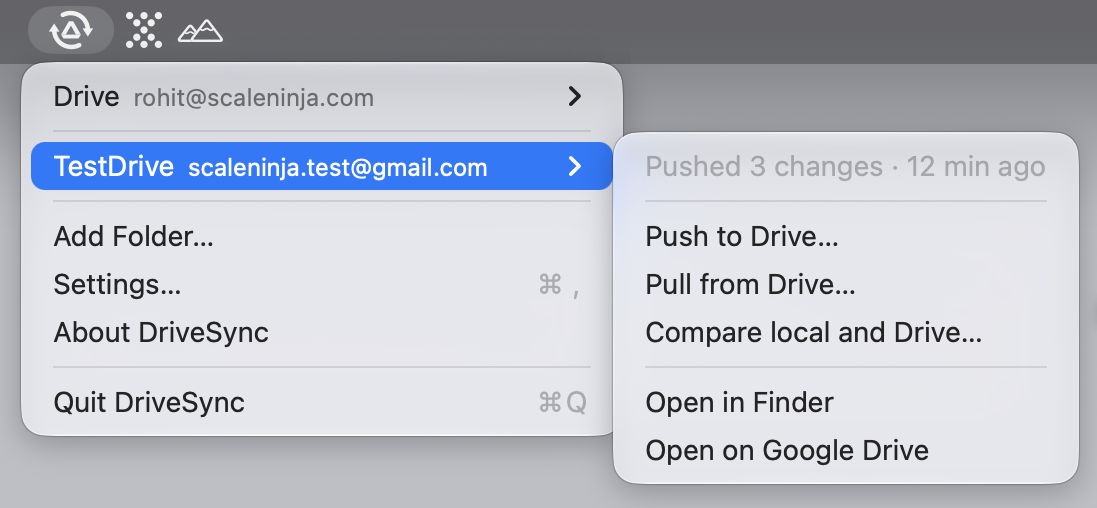
A Google Drive CLI is exactly what I wanted without knowing it. ‘Diff first, delete never’ is a much calmer default than most sync tools.
 DriveSync App Store Open Source CLI
 See what changes before you sync Google Drive.
Compare a local folder with Google Drive, review additions and conflicts, then choose whether to upload or download. DriveSync brings the free, open-source dsync engine to your Mac’s menu bar.
App: macOS 14+ · Universal · One-time purchase
CLI: macOS, Linux & Windows · MIT
Requires a Google account and a one-time Google Cloud setup. Allow about ten minutes; follow our illustrated setup guide. Files move directly between your computer and Google.
Already using dsync? Add your existing folder to the Mac app and keep its setup.
Compare DriveSync with rclone, Insync, GoogleDriveSync, and RaiDrive.
In their own words
Early feedback on the free CLI.
The Mac app grew out of requests like these from the r/macapps launch thread.
Omg this is awesome, but can you make a UI version?
Join the thread
Questions about OAuth setup, change detection, and how DriveSync compares with rclone are answered in the launch thread.
One engine, two front ends
Free engine. Native Mac experience.
Try the full sync engine with dsync, or choose DriveSync for visual plans, menu-bar access and per-file progress. Both use the same engine and folder configuration.
DriveSync for Mac
PaidA menu bar app for the people who would rather not keep a terminal open. A wizard walks you through pairing a folder, and every push, pull and compare opens a window that shows the plan first. One-time purchase on the Mac App Store, with lifetime updates.
- · Sandboxed and signed, distributed through the Mac App Store
- · Universal: Apple silicon and Intel, macOS 14 or later
- · Localized into eleven languages
- · Bundles the dsync engine, so there is nothing else to install

$_
dsync CLI
Free · MIT
The engine on its own: a small, fast Rust binary that pushes, pulls and diffs a folder
against Drive. Free, open source under the MIT License, and scriptable: --json
streams events and every error carries a stable code.
- · macOS and Linux: Intel and ARM64; Windows: x86_64
- · Install with Homebrew or a single binary from Releases
- · Up to 64 parallel transfers, resumable uploads
- · Source, issues and documentation in the open
Ready for the Mac interface? Keep your dsync setup when you move to DriveSync. The CLI stays free and fully functional.
The Mac app
A plan, then a transfer.
Never the other way round.
Nothing moves unseen
Push, pull and compare each open a window that lists every addition, update, deletion and conflict before a single byte moves. Confirm, or close it and nothing happened.
Deletions you have to mean
Trashing what no longer exists on the other side is off by default, listed in red, and asks a second time. Deleted files go to the Drive trash or the macOS Trash, never straight to nothing.
The same capable engine
The Mac app includes dsync’s checksum comparisons, incremental indexing and up to 64 parallel transfers. Review the results in a native window, with no terminal commands to remember.
Failures in Google’s own words
When Drive refuses a file, the row shows what Google actually said rather than the word "failed", keeps the machine-readable reason for support, and remembers it after the window is closed.
Live progress, exact links
Bytes moved against the plan’s total, a percentage per file, and a right-click menu that opens the file in Finder or at its exact address on Drive.
Eleven languages
English, German, Spanish, French, Italian, Japanese, Korean, Brazilian Portuguese, Romanian, Simplified Chinese and Swedish.
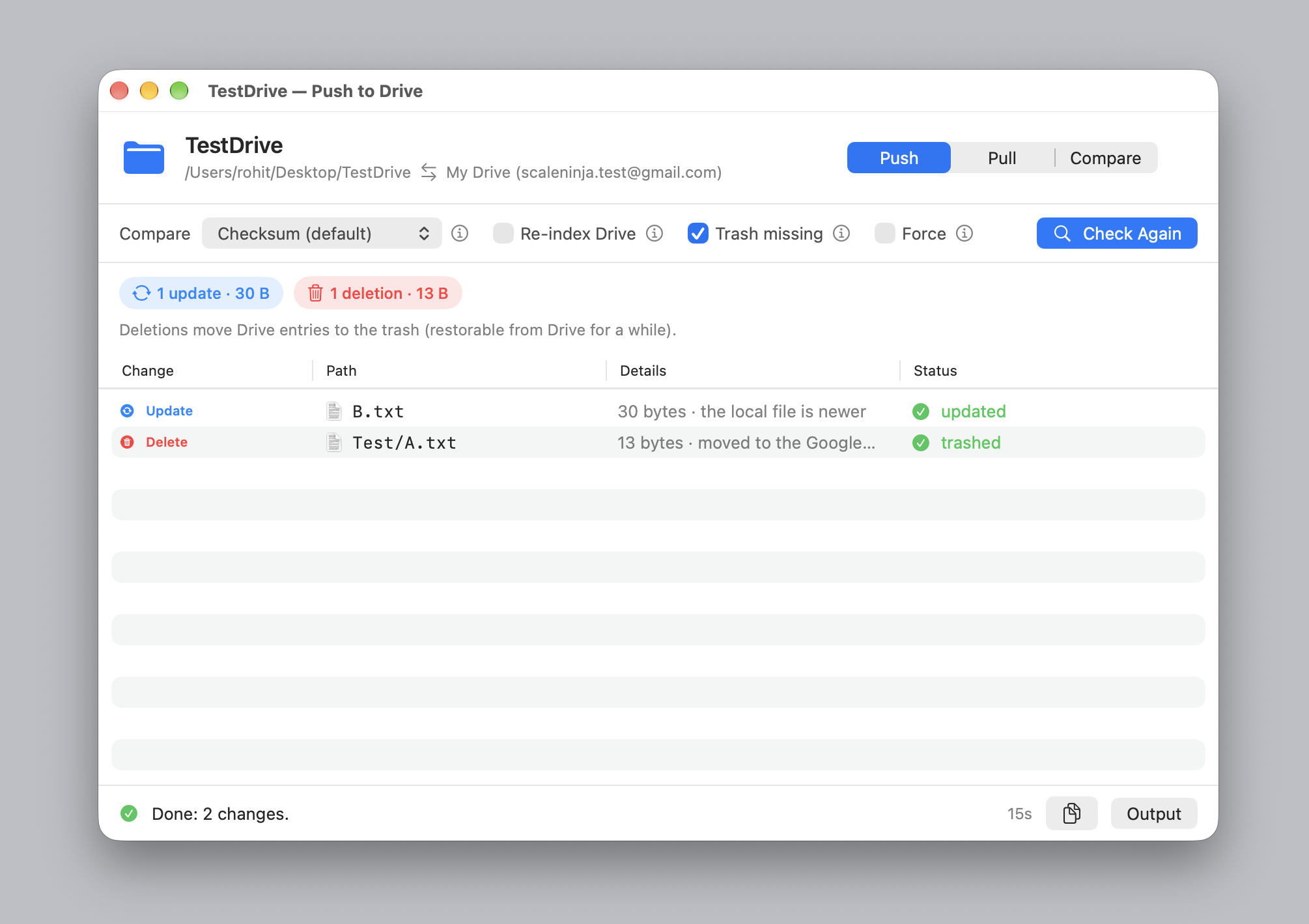
A finished push: one update, one deletion, each with the reason it was in the plan.
The command line
Your files. Your direction.
See the changes first
Compare local and remote files with dsync diff. Push and pull show a plan and ask for confirmation before transferring.
Choose the direction
Push local changes to Google Drive, or pull remote changes to your machine. Target a whole directory or a single path.
Keep conflicts visible
Conflicting files are skipped unless you explicitly force an overwrite. Nothing is ever deleted unless you pass --delete, and then only after the plan lists every deletion and every transfer has succeeded.
Transfer in parallel
Use up to 64 workers, resumable uploads for large files, and automatic retries for transient errors.
Spend less time scanning
A local SQLite cache and the Drive Changes API track remote updates. Use --verify when you want every file hashed and verified.
Fit your workflow
Use gitignore-style rules in .driveignore and skip confirmation with -y in scripts. Mirror with rsync-style --delete: push trashes on Drive, pull moves files to the Trash on macOS or the Recycle Bin on Windows, and deletes them on Linux. Drive it from another app: --json streams events and every error carries a stable code.
dsync · workflow
# Inspect local and remote differences
    $ dsync diff

    # Upload your local changes
    $ dsync push

    # Download remote changes
    $ dsync pull

    # Check folder and connection details
    $ dsync status
Getting started · Mac app
Pair a folder.
The wizard does the rest.
- Install DriveSync from the Mac App Store and open it from the menu bar.
- Pick the local folder and the Drive folder to pair it with.
- Create an OAuth desktop client in your own Google Cloud project and hand the app its JSON. The setup guide walks through it with screenshots; it takes about ten minutes, once.
- Authorize in the browser. The app checks the connection, names the account, and you are done.
Every step, with screenshots, is in Add a folder, or start at the docs overview.
Worth knowing before you buy
DriveSync has no Google credentials of its own, so you will need to create an OAuth client in your Google Cloud project. Your project has its own API quota, and files transfer directly between your computer and Google. Allow about ten minutes for setup. Try the free CLI to check the workflow with your own files before buying the Mac app.
Getting started · CLI
Try a small folder first.
Our CLI quickstart covers installation, Google setup, your first comparison and a confirmed transfer.
Install with Homebrew
brew tap scaleninja/tap
brew install drivesync
Formula maintained in the ScaleNinja Homebrew tap, or take a binary for your platform from GitHub Releases.
dsync init ~/gdrive --remote-folder backups/lab \
  --credentials ~/Downloads/client_secret.json
cd ~/gdrive
dsync status --check
dsync diff
dsync push
Credentials stay in the local .gd/ directory, which DriveSync excludes from uploads. If the folder is also a Git repository, add .gd/ to your .gitignore.
Both products sync files under My Drive. Shared Drives are not supported. Google Docs, Sheets and Slides are listed but are not downloaded or exported. The Mac app syncs only when you ask; the CLI can be used in your own scripts.
Compare
How DriveSync compares.
Review each transfer, keep folders updated automatically, or access cloud files on demand. Find the workflow that fits with these four comparisons.