
 DeltaSnap
  DriveSync
  Noject
  DeltaSync
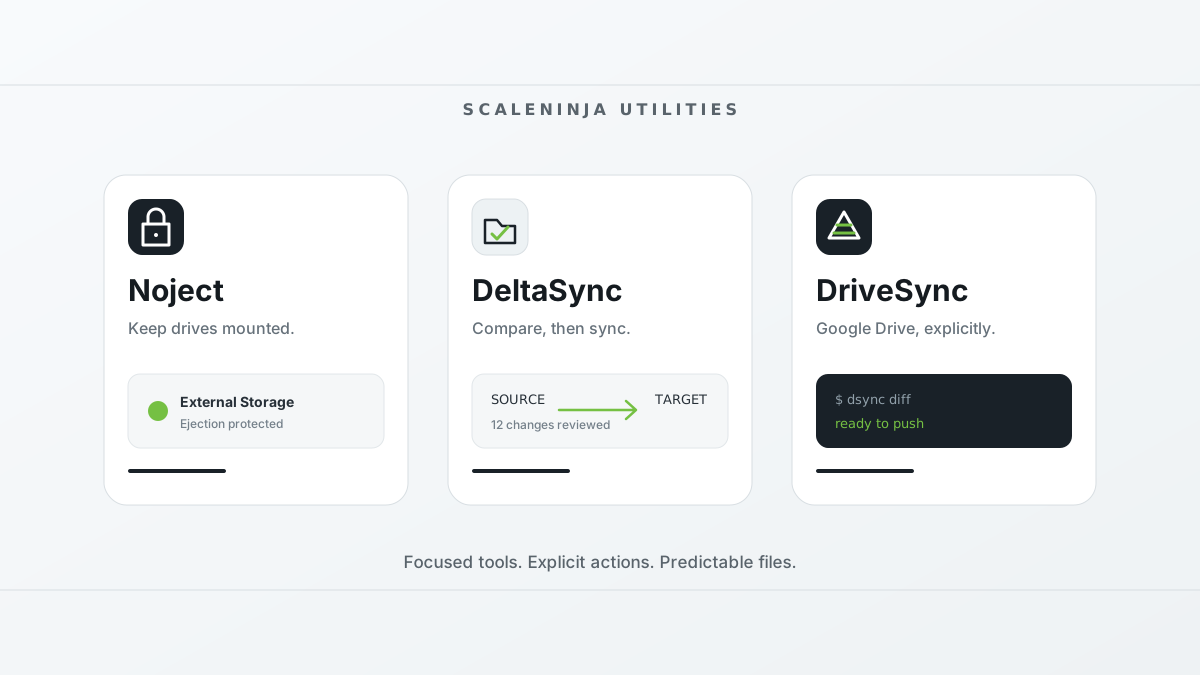
Some of the most useful software does not need to become a platform. It notices one recurring problem, makes the important choices visible, and then gets out of the way.
That is the idea behind ScaleNinja Utilities: small tools for people who want more control over where their files live and how they move. The first three are Noject, DeltaSync, and DriveSync.
They solve different problems, but share a point of view: show what is about to happen, keep the user in charge, and avoid surprising changes.
Noject: keep permanent storage mounted
My Mac mini has external storage that is removable in the technical sense, but permanent in every practical sense. It sits on the same desk, plugged into the same port, and should stay available to apps and services.
macOS still puts its eject button beside temporary disk images and USB drives. One hurried click can unmount the wrong volume and interrupt whatever depends on it.
Noject is the guardrail for that setup. Mark a local volume as protected and its background agent blocks ejection attempts from Finder, Disk Utility, Terminal, and third-party apps. Protection is remembered by volume UUID, so it returns when the drive reconnects or the Mac restarts. When you really do need to disconnect it, Eject Once permits a single unmount without forgetting the saved protection.
The Mac App Store version can also keep protected SMB, AFP, and FTP/FTPS shares connected. If one drops after a server restart, network interruption, or wake from sleep, Noject asks Finder to remount it. Credentials remain in the macOS Keychain; Noject stores only the share URL, with any password removed.
Noject is deliberately not a general disk manager. It is for the drives that are not going anywhere.
DeltaSync: see a folder sync before running it
rsync is one of those rare utilities that earns decades of trust. It is fast, efficient, and available almost everywhere. Its command-line options are also easy to get wrong, especially for someone who only wants to copy a folder to an external disk or NAS.
DeltaSync puts a native Mac interface around that workflow. Choose a source and destination, compare them, inspect what will be added, changed, or removed, and only then start the one-way synchronization. It works with internal folders, external drives, and network paths already mounted by macOS.
DeltaSync does not replace rsync; it calls it. The interface makes the direction and proposed changes easier to understand, while the transfer still uses the proven command-line tool underneath. Afterward, compare the folders again to verify the result.
It is a free companion to DeltaSnap: DeltaSync moves files to another location, while DeltaSnap keeps point-in-time history on an APFS volume. Sync and version history solve different failure modes, and neither is a substitute for an independent backup.
DriveSync: review Google Drive changes in an app or terminal
Desktop sync clients are convenient when continuous, automatic mirroring is what you want. They are less comfortable when you want to decide exactly when data moves, inspect the plan first, or put synchronization in a script.
DriveSync offers a paid Mac menu-bar app and a free, open-source command-line engine, dsync. The Mac app is available on the Mac App Store at a $14.99 launch price, a one-time purchase with lifetime updates. The price may increase after launch. It adds visual plans, per-file progress and menu-bar access. The CLI is available now for trying the engine or using it in scripts. Written in Rust, dsync compares a local folder with Google Drive, then lets you explicitly push local changes or pull remote ones:
dsync status
dsync diff
dsync push
dsync pull
Push, pull, and diff are designed to stay fast across large trees. Uploads and downloads use eight parallel streams by default, configurable from one to 64 with -j or --threads. Diff uses the same worker setting to hash files in parallel when content needs to be checked.
Repeated comparisons avoid repeating expensive work. DriveSync indexes the remote tree in local SQLite once, then refreshes it incrementally through the Google Drive Changes API instead of listing all of Drive on every run. It compares size first, uses MD5 values Google already computed for remote files, and caches each local hash against the file's size and modification time. Unchanged files generally do not need to be read or hashed again. An optional --fast mode can use an rsync-style size-and-time comparison when every second matters.
Push and pull show a plan and ask for confirmation before transferring. Conflicts remain visible and are skipped unless you explicitly force an overwrite. Deletions are off by default: the app's Trash missing option or the CLI's --delete enables them. Remote deletions go to Google Drive's trash; local deletions use the Trash on macOS, the Recycle Bin on Windows, and permanent deletion on Linux. Resumable uploads can continue after restarting the command. Transient failures are retried with backoff, completed transfers are checksum-verified, and a cancelled push or pull can be run again.
The DriveSync app requires macOS 14 or later on Apple silicon or Intel. The MIT-licensed dsync CLI runs on macOS and Linux on x86_64 and ARM64, and Windows on x86_64. Both use a Google OAuth desktop client you create in your own project. Configuration and tokens are stored in the local .gd/ directory, which is excluded from file uploads; tokens are sent to Google for authentication, not to ScaleNinja.
Start with the free CLI quickstart. If you later choose the Mac interface, add your initialized folder to DriveSync and keep its pairing and authorization.
Three jobs, three tools
| Utility | The job | The safety boundary |
|---|---|---|
| Noject | Keep chosen local drives mounted and protected network shares connected | Only volumes you mark are protected; a one-shot bypass is always available |
| DeltaSync | Compare and synchronize two folders through rsync | You choose the source and destination and review the comparison first |
| DriveSync / dsync | Review and sync Google Drive files through a Mac app or free CLI | Direction is explicit, conflicts stop unattended transfers, and deletion is opt-in |
There is intentional overlap in the vocabulary: protect, compare, inspect, confirm. These tools deal with valuable data, so predictability matters more than automation for its own sake.
That is also why they remain separate. Noject should not become a sync client. DeltaSync should not need a cloud account. DriveSync should not quietly behave like a desktop mirror. A focused utility can have a smaller permission footprint, a clearer interface, and fewer ways to surprise you.
Pick the utility that matches the job
- Use Noject when an external drive or mounted share should remain available.
- Use DeltaSync when you want a visual comparison before copying one folder to another on a Mac.
- Use DriveSync when you want explicit, scriptable control over Google Drive transfers on macOS or Linux.
No account with ScaleNinja is required for any of them. DeltaSync is free, DriveSync is free and open source, and Noject is available from the Mac App Store or as a free direct download.
Small tools, clear boundaries, and no mystery about what happens to your drives and files.